reCAPTCHA v2 Enterprise
CapMonster Cloud 默认通过内置代理工作——这些代理已包含在费用内。仅当网站不接受令牌或对内置服务的访问受限时,才需要指定您自己的代理。
如果代理按 IP 授权,请将地址 65.21.190.34 加入白名单。
该对象包含用于解决Google reCAPTCHA Enterprise任务的数据。为了提供解决此类任务的通用性,我们已经再现了您计划完成的自动化任务所需的每一个环境因素。包括代理访问、浏览器的用户代理、Cookies(可选)。
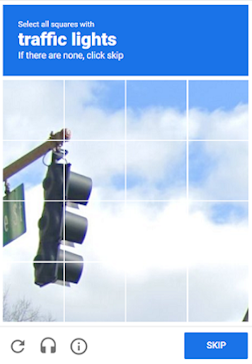
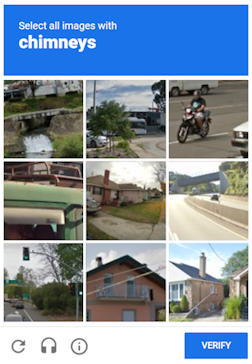
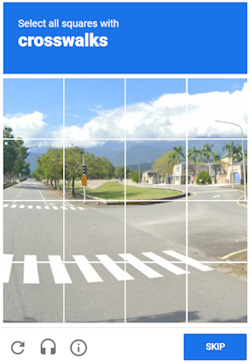
这种类型的验证码与ReCaptcha v.2在视觉上没有区别,您可以通过使用开发者工具中的网络选项卡下的查询来查看验证码代码的差异,例如:
请求URL(锚点):https://www.google.com/recaptcha/enterprise/anchor?ar=1&k=6Lf26sUnAAAAAIKLuWNYgRsFUfmI-3Lex3xT5N-s&co=aHR0cHM6Ly8yY2FwdGNoYS5jb206NDQz&hl=en&v=1kRDYC3bfA-o6-tsWzIBvp7k&size=normal&cb=43r1q2d3mx66
这种类型的验证码可能比普通的图片验证码解决时间稍长一些,但这个问题被我们在解决您的ReCaptcha2后发送给您的g-captcha-response值在接下来的60秒内有效这一事实所弥补。
请求参数
type<string>requiredRecaptchaV2EnterpriseTask
websiteURL<string>required包含Google ReCaptcha Enterprise的网页地址。
websiteKey<string>requiredRecaptcha 网站密钥。<div class="g-recaptcha" data-sitekey="THIS_ONE"></div>
或 <iframe title="reCAPTCHA" src="...;k=6LdIFr0ZAAAAAO3vz0O0OQrtAefzdJcWQM2TMYQH&...,其中 6LdIFr0ZAAAAAO3vz0O0OQrtAefzdJcWQM2TMYQH 即为 websiteKey
pageAction<string>optionalReCaptcha 小组件传递给 Google 的 action 参数值,在后续服务器验证时网站所有者可见。如果该值不同于默认值,请指定此参数:verify
HTML 示例:
grecaptcha.execute('site_key', {action:'login_test'}).
enterprisePayload<string>optional某些reCAPTCHA Enterprise小部件的实现可能包含传递给“grecaptcha.enterprise.render”方法的附加参数。例如: <pre lang="js" ><code>grecaptcha.enterprise.render("some-div-id", {<br /> sitekey: "6Lc\_aCMTAAAAABx7u2N0D1XnVbI\_v6ZdbM6rYf16"<br/> theme: "dark"<br/> s: "2JvUXHNTnZl1Jb6WEvbDyB...ugQA"<br/>});</code></pre>
apiDomain<string>optional加载 reCAPTCHA Enterprise 的域名地址。例如
如果不知道为什么需要参数,请勿使用。
userAgent<string>optional用于模拟的浏览器用户代理。必须使用现代浏览器的签名,否则Google会要求您“更新浏览器”。
cookies<string>optional我们在与目标页面或Google交互期间必须使用的附加Cookies。
格式: cookiename1=cookievalue1; cookiename2=cookievalue2
proxyType<string>optionalhttp - 普通的http/https代理;
https - 仅在“http”不起作用时尝试此选项(某些自定义代理服务器需要);
socks4 - socks4代理;
socks5 - socks5代理。
proxyAddress<string>optional代理IP地址 IPv4/IPv6。不允许使用:
- 透明代理(客户端IP可见);
- 来自本地网络的代理。
proxyPort<integer>optional代理端口。
proxyLogin<string>optional代理登录。
proxyPassword<string>optional代理密码。
对于 enterprisePayload - 在调用它之前,您需要用自己的函数替换 grecaptcha.enterprise.render 函数,并从其参数中获取值。该函数在加载脚本后存在,验证码通常立即渲染或基于页面事件渲染。如果验证码在客户端使用当前字段 s 渲染,那么令牌很可能不会被接受。
可以在没有 s 字段的情况下调用原始函数。
apiDomain 是托管用于与reCAPTCHA交互的API接口的域,用于验证用户是否通过验证码。
脚本
var __test_grc = undefined;

var __test_enterprise = undefined;

var __test_render = undefined;

var __test_render_widget = undefined;

var __test_render_args = undefined; // 这里将是调用render时使用的对象。

var __test_handler = {
  get: function(target, name, receiver) {
    if (name == 'enterprise') {
      return __test_enterprise ? __test_enterprise : (__test_enterprise = new Proxy(target[name], __test_handler));
    } else if (name == 'render') {
      __test_render = target[name];
      return (function(a, b) {
        __test_render_args = b;
        __test_render_widget = a;
        return __test_render(a, {sitekey: b.sitekey}); });
    } else {
      return target[name];
    }
  }
};

Object.defineProperty(window, 'grecaptcha', {
  enumerable: true,
  configurable: false,
  get: function() {
    return __test_grc;
  },
  set: function(value) {
    __test_grc = new Proxy(value, __test_handler);
  }
});
创建任务方法
- RecaptchaV2EnterpriseTask (无代理)
- RecaptchaV2EnterpriseTask (使用代理)
https://api.capmonster.cloud/createTask
要求
{
  "clientKey": "API_KEY",
  "task": {
    "type": "RecaptchaV2EnterpriseTask",
    "websiteURL": "https://mydomain.com/page-with-recaptcha-enterprise",
    "websiteKey": "6Lcg7CMUAAAAANphynKgn9YAgA4tQ2KI_iqRyTwd",
    "enterprisePayload": {
      "s": "SOME_ADDITIONAL_TOKEN"
    }
  }
}
回应
{
  "errorId":0,
  "taskId":407533072
}
https://api.capmonster.cloud/createTask
要求
{
  "clientKey": "API_KEY",
  "task": {
    "type": "RecaptchaV2EnterpriseTask",
    "websiteURL": "https://mydomain.com/page-with-recaptcha-enterprise",
    "websiteKey": "6Lcg7CMUAAAAANphynKgn9YAgA4tQ2KI_iqRyTwd",
    "enterprisePayload": {
      "s": "SOME_ADDITIONAL_TOKEN"
    },
    "proxyType": "http",
    "proxyAddress": "8.8.8.8",
    "proxyPort": 8080,
    "proxyLogin": "proxyLoginHere",
    "proxyPassword": "proxyPasswordHere",
    "userAgent": "userAgentPlaceholder"
  }
}
回应
{
  "errorId":0,
  "taskId":407533072
}
获取任务结果方法
使用getTaskResult方法请求 ReCaptcha2 的答案。根据服务负载情况,您将在 10到80 秒内收到响应。
https://api.capmonster.cloud/getTaskResult
要求
{
  "clientKey":"API_KEY",
  "taskId": 407533072
}
回应
{
  "errorId": 0,
  "status": "ready",
  "solution": {
    "gRecaptchaResponse": "3AHJ_VuvYIBNBW5yyv0zRYJ75VkOKvhKj9_xGBJKnQimF72rfoq3Iy-DyGHMwLAo6a3"
  }
}
| 属性 | 类型 | 描述 |
|---|---|---|
| gRecaptchaResponse | String | 应插入到 Recaptcha2 提交表单中的哈希值 <textarea id="g-recaptcha-response" ..></textarea>。长度为 500 到 2190 字节。 |
如何查找任务创建所需的所有参数
手动方式
- 请在浏览器中访问您的网站,该网站包含验证码功能。
- 右键点击验证码元素,选择 检查(Inspect)。
websiteKey
Public site key(网站公钥,sitekey)。您可以在 Elements(元素) 中找到 websiteKey:

或在 Network(网络) 请求中找到:

自动方法
为了自动化获取所需参数,可以通过 浏览器(普通模式或 headless 模式,例如使用 Playwright)进行提取,或直接从 HTTP 请求中获取。由于动态参数的有效时间较短,建议在获取后尽快使用。
所提供的代码片段仅作为获取必要参数的基础示例。具体实现方式取决于包含验证码的网站、本身的页面结构,以及所使用的 HTML 元素和选择器。
- JavaScript
- Python
- C#
显示代码(浏览器中)
(() => {
  const payload = {};
  let sitekey = null;

  document.querySelectorAll('.g-recaptcha').forEach(div => {
    if (div.dataset.sitekey) sitekey = div.dataset.sitekey;

    for (const [key, value] of Object.entries(div.dataset)) {
      if (key !== 'sitekey') {
        payload[key] = value;
      }
    }
  });

  const scriptTags = Array.from(document.querySelectorAll("script:not([src])"));
  const regex = /grecaptcha\.enterprise\.render\([^,]+,\s*\{(.*?)\}/s;

  scriptTags.forEach(tag => {
    const match = regex.exec(tag.textContent);
    if (match) {
      const obj = match[1];
      const paramRegex = /(\w+)\s*:\s*['"]([^'"]+)['"]/g;
      let p;
      while ((p = paramRegex.exec(obj)) !== null) {
        const key = p[1];
        const val = p[2];
        if (key === "sitekey") sitekey = val;
        else payload[key] = val;
      }
    }
  });

  console.log("sitekey:", sitekey);
  console.log("enterprisePayload:", payload);
})();
显示代码(Node.js)
import { chromium } from 'playwright';

(async () => {
  const browser = await chromium.launch({ headless: false });
  const context = await browser.newContext();
  const page = await context.newPage();

  let sitekey = null;
  const enterprisePayload = {};

  const targetUrl = 'https://example.com';
  await page.goto(targetUrl, { timeout: 60000 });
  await page.waitForTimeout(3000);

  const recaptchaDivs = await page.$$('.g-recaptcha');
  for (const div of recaptchaDivs) {
    const attrs = ['data-sitekey', 'data-s', 'data-cdata', 'data-type', 'data-context'];
    for (const attr of attrs) {
      const val = await div.getAttribute(attr);
      if (val) {
        const key = attr.replace('data-', '');
        if (key === 'sitekey') {
          sitekey = val;
        } else {
          enterprisePayload[key] = val;
        }
      }
    }
  }

  const inlineScripts = await page.$$eval("script:not([src])", (scripts) =>
    scripts.map((s) => s.textContent)
  );

  const pattern = /grecaptcha\.enterprise\.render\([^,]+,\s*\{(.*?)\}/s;

  for (const script of inlineScripts) {
    const match = script.match(pattern);
    if (match) {
      const obj = match[1];
      const keyValuePattern = /(\w+)\s*:\s*['"]([^'"]+)['"]/g;
      let keyValueMatch;
      while ((keyValueMatch = keyValuePattern.exec(obj)) !== null) {
        const key = keyValueMatch[1];
        const val = keyValueMatch[2];
        if (key === 'sitekey') {
          sitekey = val;
        } else {
          enterprisePayload[key] = val;
        }
      }
      break;
    }
  }

  console.log(`sitekey: ${sitekey}`);
  console.log("enterprisePayload:");
  for (const [key, value] of Object.entries(enterprisePayload)) {
    console.log(`  ${key}: ${value}`);
  }

  await browser.close();
})();
显示代码
import asyncio
import re
from playwright.async_api import async_playwright

async def extract_recaptcha_v2_enterprise(url):
    async with async_playwright() as p:
        browser = await p.chromium.launch(headless=False)
        context = await browser.new_context()
        page = await context.new_page()

        sitekey = None
        enterprise_payload = {}

        await page.goto(url, timeout=60000)
        await page.wait_for_timeout(3000)

        recaptcha_divs = await page.query_selector_all(".g-recaptcha")
        for div in recaptcha_divs:
            attrs = ["data-sitekey", "data-s", "data-cdata", "data-type", "data-context"]
            for attr in attrs:
                val = await div.get_attribute(attr)
                if val:
                    key = attr.replace("data-", "")
                    if key == "sitekey":
                        sitekey = val
                    else:
                        enterprise_payload[key] = val

        inline_scripts = await page.locator("script:not([src])").all_text_contents()
        pattern = re.compile(r"grecaptcha\.enterprise\.render\([^,]+,\s*\{(.*?)\}", re.DOTALL)

        for script in inline_scripts:
            match = pattern.search(script)
            if match:
                obj = match.group(1)
                for pair in re.finditer(r"(\w+)\s*:\s*['\"]([^'\"]+)['\"]", obj):
                    key = pair.group(1)
                    val = pair.group(2)
                    if key == "sitekey":
                        sitekey = val
                    else:
                        enterprise_payload[key] = val
                break

        await browser.close()

        print(f"sitekey: {sitekey}")
        print("enterprisePayload:")
        for k, v in enterprise_payload.items():
            print(f"  {k}: {v}")

asyncio.run(extract_recaptcha_v2_enterprise("https://example.com"))
显示代码
using System;
using System.Text.RegularExpressions;
using System.Threading.Tasks;
using Microsoft.Playwright;
using System.Collections.Generic;

class Program
{
    public static async Task Main(string[] args)
    {
        await ExtractRecaptchaV2Enterprise("https://example.com");
    }

    public static async Task ExtractRecaptchaV2Enterprise(string url)
    {
        using var playwright = await Playwright.CreateAsync();
        var browser = await playwright.Chromium.LaunchAsync(new BrowserTypeLaunchOptions { Headless = false });
        var context = await browser.NewContextAsync();
        var page = await context.NewPageAsync();

        string sitekey = null;
        var enterprisePayload = new Dictionary<string, string>();

        await page.GotoAsync(url, new PageGotoOptions { Timeout = 60000 });
        await page.WaitForTimeoutAsync(3000);

        var recaptchaDivs = await page.QuerySelectorAllAsync(".g-recaptcha");

        foreach (var div in recaptchaDivs)
        {
            var sitekeyAttr = await div.GetAttributeAsync("data-sitekey");
            if (!string.IsNullOrEmpty(sitekeyAttr))
                sitekey = sitekeyAttr;

            var attributes = new[] { "data-s", "data-cdata", "data-type", "data-context" };
            foreach (var attr in attributes)
            {
                var value = await div.GetAttributeAsync(attr);
                if (!string.IsNullOrEmpty(value))
                {
                    enterprisePayload[attr.Replace("data-", "")] = value;
                }
            }
        }

        var scripts = await page.Locator("script:not([src])").AllTextContentsAsync();
        var pattern = new Regex(@"grecaptcha\.enterprise\.render\([^,]+,\s*\{(.*?)\}",
        RegexOptions.Singleline);

        foreach (var script in scripts)
        {
            var match = pattern.Match(script);
            if (match.Success)
            {
                var obj = match.Groups[1].Value;

                var keyMatches = Regex.Matches(obj, @"(\w+)\s*:\s*['""]([^'""]+)['""]");
                foreach (Match m in keyMatches)
                {
                    var key = m.Groups[1].Value.Trim();
                    var val = m.Groups[2].Value.Trim();

                    if (key == "sitekey")
                        sitekey = val;
                    else
                        enterprisePayload[key] = val;
                }
                break;
            }
        }

        Console.WriteLine($"Sitekey: {sitekey}");
        Console.WriteLine("Enterprise Payload:");
        foreach (var kv in enterprisePayload)
        {
            Console.WriteLine($"  {kv.Key}: {kv.Value}");
        }

        await browser.CloseAsync();
    }
}
使用 SDK 库
- JavaScript
- Python
- C#
显示代码(用于浏览器)
// https://github.com/ZennoLab/capmonstercloud-client-js

import {
  CapMonsterCloudClientFactory,
  ClientOptions,
  RecaptchaV2EnterpriseRequest
} from '@zennolab_com/capmonstercloud-client';

document.addEventListener('DOMContentLoaded', async () => {

  const API_KEY = "YOUR_API_KEY";  // 输入您的 CapMonster Cloud API 密钥

  const client = CapMonsterCloudClientFactory.Create(
    new ClientOptions({ clientKey: API_KEY })
  );

  // 基本示例,无需代理
  // CapMonster Cloud 会自动使用它们的代理
  let recaptchaV2EnterpriseRequest = new RecaptchaV2EnterpriseRequest({
    websiteURL: "https://mydomain.com/page-with-recaptcha-enterprise", // 带有验证码页面的 URL
    websiteKey: "6Lcg7CMUAAAAANphynKgn9YAgA4tQ2KI_iqRyTwd",             // 替换为正确的值
    enterprisePayload: {
      s: "SOME_ADDITIONAL_TOKEN",   // 可选的 enterprise 参数
    }
  });

  // 使用您自己的代理的示例
  // 如果想使用自己的代理,请取消注释以下代码块

  /*
  const proxy = {
    proxyType: "http",
    proxyAddress: "123.45.67.89",
    proxyPort: 8080,
    proxyLogin: "username",
    proxyPassword: "password"
  };

  recaptchaV2EnterpriseRequest = new RecaptchaV2EnterpriseRequest({
    websiteURL: "https://mydomain.com/page-with-recaptcha-enterprise",
    websiteKey: "6Lcg7CMUAAAAANphynKgn9YAgA4tQ2KI_iqRyTwd",
    enterprisePayload: { s: "SOME_ADDITIONAL_TOKEN" },
    proxy,
    userAgent: "userAgentPlaceholder"
  });
  */

  // 如有必要,可以检查余额
  const balance = await client.getBalance();
  console.log("Balance:", balance);

  const result = await client.Solve(recaptchaV2EnterpriseRequest);
  console.log("Solution:", result);
});
显示代码 (Node.js)
// https://github.com/ZennoLab/capmonstercloud-client-js

import { CapMonsterCloudClientFactory, ClientOptions, RecaptchaV2EnterpriseRequest } from '@zennolab_com/capmonstercloud-client';

const API_KEY = "YOUR_API_KEY";  // 输入您的 CapMonster Cloud API 密钥

async function solveRecaptchaV2Enterprise() {
    const client = CapMonsterCloudClientFactory.Create(
        new ClientOptions({ clientKey: API_KEY })
    );

    // 基本示例,无需代理
    // CapMonster Cloud 会自动使用它们的代理
    let recaptchaV2EnterpriseRequest = new RecaptchaV2EnterpriseRequest({
        websiteURL: "https://mydomain.com/page-with-recaptcha-enterprise", // 带有验证码页面的 URL
        websiteKey: "6Lcg7CMUAAAAANphynKgn9YAgA4tQ2KI_iqRyTwd", // 替换为正确的值
        enterprisePayload: {
            s: "SOME_ADDITIONAL_TOKEN", // 可选的 enterprise 参数
        }
    });

    // 使用您自己的代理的示例
    // 如果想使用自己的代理,请取消注释以下代码块

    /*
    const proxy = {
        proxyType: "http",
        proxyAddress: "123.45.67.89",
        proxyPort: 8080,
        proxyLogin: "username",
        proxyPassword: "password"
    };

    recaptchaV2EnterpriseRequest = new RecaptchaV2EnterpriseRequest({
        websiteURL: "https://mydomain.com/page-with-recaptcha-enterprise",
        websiteKey: "6Lcg7CMUAAAAANphynKgn9YAgA4tQ2KI_iqRyTwd",
        enterprisePayload: { s: "SOME_ADDITIONAL_TOKEN" },
        proxy,
        userAgent: "userAgentPlaceholder"
    });
    */

    // 如有必要,可以检查余额
    const balance = await client.getBalance();
    console.log("Balance:", balance);

    const result = await client.Solve(recaptchaV2EnterpriseRequest);
    console.log("Solution:", result);
}

solveRecaptchaV2Enterprise().catch(console.error);
显示代码
# https://github.com/ZennoLab/capmonstercloud-client-python

import asyncio
from capmonstercloudclient import CapMonsterClient, ClientOptions
from capmonstercloudclient.requests import RecaptchaV2EnterpriseRequest
# from capmonstercloudclient.requests.baseRequestWithProxy import ProxyInfo  # 如果计划使用代理,请取消注释

API_KEY = "YOUR_API_KEY"  # 输入您的 CapMonster Cloud API 密钥

async def solve_recaptcha_v2_enterprise():
    client_options = ClientOptions(api_key=API_KEY)
    cap_monster_client = CapMonsterClient(options=client_options)

    # 基本示例,无需代理
    # CapMonster Cloud 会自动使用它们的代理
    recaptcha2request = RecaptchaV2EnterpriseRequest(
        websiteUrl="https://example.com",
        websiteKey="6Lf56sUnAAAAAIKLuONYgRsFUfmI-3Lex3xT5U-s",
        enterprisePayload={
            "s": "SOME_ADDITIONAL_TOKEN"
        }
    )

    # 使用您自己的代理的示例
    # 如果想使用自己的代理,请取消注释以下代码块

    # proxy = ProxyInfo(
    #     proxyType="http",
    #     proxyAddress="123.45.67.89",
    #     proxyPort=8080,
    #     proxyLogin="username",
    #     proxyPassword="password"
    # )

    # recaptcha2request = RecaptchaV2EnterpriseRequest(
    #     websiteUrl="https://example.com",
    #     websiteKey="6Lf56sUnAAAAAIKLuONYgRsFUfmI-3Lex3xT5U-s",
    #     enterprisePayload={
            # "s": "SOME_ADDITIONAL_TOKEN"
    #     },
    #     proxy=proxy,
    #     userAgent="userAgentPlaceholder"
    # )

    # 如有必要,可以检查余额
    balance = await cap_monster_client.get_balance()
    print("Balance:", balance)

    result = await cap_monster_client.solve_captcha(recaptcha2request)
    print("Solution:", result)

asyncio.run(solve_recaptcha_v2_enterprise())
显示代码
// https://github.com/ZennoLab/capmonstercloud-client-dotnet

using System;
using System.Threading.Tasks;
using Zennolab.CapMonsterCloud;
using Zennolab.CapMonsterCloud.Requests;

class Program
{
    static async Task Main(string[] args)
    {
        // 输入您的 CapMonster Cloud API 密钥
        var clientOptions = new ClientOptions
        {
            ClientKey = "YOUR_API_KEY"
        };

        var cmCloudClient = CapMonsterCloudClientFactory.Create(clientOptions);

        // 如有必要,可以检查余额
        var balance = await cmCloudClient.GetBalanceAsync();
        Console.WriteLine("Balance: " + balance);

        // 基本示例,无需代理
        // CapMonster Cloud 会自动使用它们的代理
        var recaptchaV2EnterpriseRequest = new RecaptchaV2EnterpriseRequest
        {
            WebsiteUrl = "https://example.com", // 带有验证码页面的 URL
            WebsiteKey = "6Lf26sUnAAAAAIKLuWNYgRsFUfmI-3Lex3xT5N-s", // 替换为正确的值
            EnterprisePayload = "{\"s\":\"SOME_ADDITIONAL_TOKEN\"}"
        };

        // 使用您自己的代理的示例
        // 如果想使用自己的代理,请取消注释以下代码块
        /*
        var recaptchaV2EnterpriseRequest = new RecaptchaV2EnterpriseRequest
        {
            WebsiteUrl = "https://example.com",
            WebsiteKey = "6Lf26sUnAAAAAIKLuWNYgRsFUfmI-3Lex3xT5N-s",
            EnterprisePayload = "{\"s\":\"SOME_ADDITIONAL_TOKEN\"}",

            Proxy = new ProxyContainer(
                "123.45.67.89",
                8080,
                ProxyType.Http,
                "username",
                "password"
            )
        };
        */

        var recaptchaV2EnterpriseResult = await cmCloudClient.SolveAsync(recaptchaV2EnterpriseRequest);

        Console.WriteLine("Solution: " + recaptchaV2EnterpriseResult.Solution.Value);
    }
}