reCAPTCHA v2 Enterprise
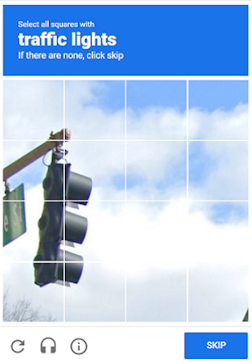
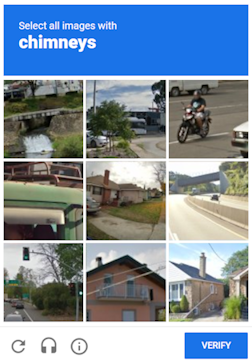
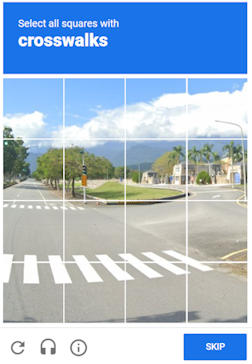
O objeto contém dados para a resolução de tarefas do Google reCAPTCHA Enterprise. Para fornecer universalidade sólida na resolução desse tipo de tarefa, reproduzimos todos os componentes do ambiente usados para uma tarefa de automação que você planeja concluir. Isso inclui acesso via proxy, o user-agent do navegador e, opcionalmente, cookies.
Esse tipo de captcha não tem diferenças visuais em relação ao ReCaptcha v.2; você pode ver a diferença utilizando o código do captcha, por exemplo, nas ferramentas de desenvolvedor, na aba Rede em Consultas:
URL da solicitação (anchor): https://www.google.com/recaptcha/enterprise/anchor?ar=1&k=6Lf26sUnAAAAAIKLuWNYgRsFUfmI-3Lex3xT5N-s&co=aHR0cHM6Ly8yY2FwdGNoYS5jb206NDQz&hl=en&v=1kRDYC3bfA-o6-tsWzIBvp7k&size=normal&cb=43r1q2d3mx66
Esse tipo de captcha pode demorar um pouco mais para ser resolvido do que o captcha de imagem usual, mas esse problema é compensado pelo fato de que o valor g-captcha-response que enviamos para você é válido pelos próximos 60 segundos após resolvermos seu ReCaptcha2.
O CapMonster Cloud, por padrão, funciona com proxies integrados — já incluídos no custo do serviço. É necessário especificar seus próprios proxies apenas nos casos em que o site não aceita o token ou quando o acesso aos serviços integrados está restrito.
Se o proxy utiliza autenticação por IP, é necessário adicionar o endereço 65.21.190.34 à lista de permissões (whitelist).
Parâmetros da solicitação
type<string>requiredRecaptchaV2EnterpriseTask
websiteURL<string>requiredEndereço de uma página da web com o Google ReCaptcha Enterprise.
websiteKey<string>requiredChave do site do Recaptcha.<div class="g-recaptcha" data-sitekey="THIS_ONE"></div>
ou <iframe title="reCAPTCHA" src="...;k=6LdIFr0ZAAAAAO3vz0O0OQrtAefzdJcWQM2TMYQH&... , onde 6LdIFr0ZAAAAAO3vz0O0OQrtAefzdJcWQM2TMYQH é a websiteKey.
pageAction<string>optionalO valor do parâmetro action enviado pelo widget ReCaptcha ao Google, que posteriormente é visível ao proprietário do site durante a verificação. Especifique este parâmetro se seu valor for diferente do padrão: verify
Exemplo em HTML:
grecaptcha.execute('site_key', {action:'login_test'}).
enterprisePayload<string>optionalAlgumas implementações do widget reCAPTCHA Enterprise podem conter parâmetros adicionais que são passados ao método “grecaptcha.enterprise.render” junto com o sitekey. Por exemplo: <pre lang="js" ><code>grecaptcha.enterprise.render("some-div-id", {<br /> sitekey: "6Lc_aCMTAAAAABx7u2N0D1XnVbI_v6ZdbM6rYf16"<br/> theme: "dark"<br/> s: "2JvUXHNTnZl1Jb6WEvbDyB...ugQA"<br/>});</code></pre>
apiDomain<string>optionalEndereço do domínio a partir do qual carregar o reCAPTCHA Enterprise. Por exemplo:
- www.google.com
- www.recaptcha.net
Não utilize um parâmetro se você não souber por que ele é necessário.
userAgent<string>optionalO User-Agent do navegador usado na emulação. É necessário utilizar uma assinatura de um navegador moderno; caso contrário, o Google pedirá para "atualizar seu navegador".
cookies<string>optionalCookies adicionais que devemos usar durante a interação com a página de destino ou com o Google.
Formato: cookiename1=cookievalue1; cookiename2=cookievalue2
proxyType<string>optionalhttp - proxy http/https regular;
https - tente essa opção apenas se "http" não funcionar (necessário para alguns proxies personalizados);
socks4 - proxy socks4;
socks5 - proxy socks5.
proxyAddress<string>optionalEndereço IP do proxy IPv4/IPv6. Não é permitido:
- usar proxies transparentes (onde você pode ver o IP do cliente);
- usar proxies em máquinas locais.
proxyPort<integer>optionalPorta do proxy.
proxyLogin<string>optionalLogin do servidor proxy.
proxyPassword<string>optionalSenha do servidor proxy.
Para enterprisePayload - antes de chamá-lo, você precisa substituir a função grecaptcha.enterprise.render pela sua própria e capturar o valor de seus parâmetros. A função existe após o carregamento do script, e o captcha geralmente é renderizado imediatamente ou com base em um evento da página. Se o captcha for renderizado com o campo s atual no cliente, o token provavelmente não será aceito.
A função original pode ser chamada sem o campo s.
apiDomain é o domínio que hospeda a interface da API para interagir com o reCAPTCHA; é usado para verificar se o usuário passou no captcha.
Script
var __test_grc = undefined;

var __test_enterprise = undefined;

var __test_render = undefined;

var __test_render_widget = undefined;

var __test_render_args = undefined; // aqui estará o objeto com o qual o render é chamado.

var __test_handler = {
  get: function(target, name, receiver) {
    if (name == 'enterprise') {
      return __test_enterprise ? __test_enterprise : (__test_enterprise = new Proxy(target[name], __test_handler));
    } else if (name == 'render') {
      __test_render = target[name];
      return (function(a, b) {
        __test_render_args = b;
        __test_render_widget = a;
        return __test_render(a, {sitekey: b.sitekey}); });
    } else {
      return target[name];
    }
  }
};

Object.defineProperty(window, 'grecaptcha', {
  enumerable: true,
  configurable: false,
  get: function() {
    return __test_grc;
  },
  set: function(value) {
    __test_grc = new Proxy(value, __test_handler);
  }
});
Criar método de tarefa
- RecaptchaV2EnterpriseTask (sem proxy)
- RecaptchaV2EnterpriseTask (com proxy)
https://api.capmonster.cloud/createTask
Request
{
  "clientKey":"API_KEY",
  "task": {
    "type":"RecaptchaV2EnterpriseTask",
    "websiteURL":"https://mydomain.com/page-with-recaptcha-enterprise",
    "websiteKey":"6Lcg7CMUAAAAANphynKgn9YAgA4tQ2KI_iqRyTwd",
    "enterprisePayload": {
      "s": "SOME_ADDITIONAL_TOKEN"
    }
  }
}
Response:
{
  "errorId": 0,
  "taskId": 407533072
}
https://api.capmonster.cloud/createTask
Request
{
  "clientKey":"API_KEY",
  "task": {
    "type":"RecaptchaV2EnterpriseTask",
    "websiteURL":"https://mydomain.com/page-with-recaptcha-enterprise",
    "websiteKey":"6Lcg7CMUAAAAANphynKgn9YAgA4tQ2KI_iqRyTwd",
    "enterprisePayload": {
      "s": "SOME_ADDITIONAL_TOKEN"
    },
    "proxyType":"http",
    "proxyAddress":"8.8.8.8",
    "proxyPort":8080,
    "proxyLogin":"proxyLoginHere",
    "proxyPassword":"proxyPasswordHere",
    "userAgent":"userAgentPlaceholder"
  }
}
Response:
{
  "errorId":0,
  "taskId":407533072
}
Método Get task result
Use o método getTaskResult para solicitar a resposta para o ReCaptcha2. Você receberá a resposta em um período de 10 a 80 segundos, dependendo da carga de trabalho do serviço.
https://api.capmonster.cloud/getTaskResult
Solicitação
{
  "clientKey":"API_KEY",
  "taskId": 407533072
}
Resposta
{
  "errorId":0,
  "status":"ready",
  "solution": {
    "gRecaptchaResponse":"3AHJ_VuvYIBNBW5yyv0zRYJ75VkOKvhKj9_xGBJKnQimF72rfoq3Iy-DyGHMwLAo6a3"
  }
}
| Propriedade | Tipo | Descrição |
|---|---|---|
| gRecaptchaResponse | String | Hash que deve ser inserido no formulário de envio do Recaptcha2 em <textarea id="g-recaptcha-response" ..></textarea>. Tem um comprimento de 500 a 2190 bytes. |
Como Encontrar Todos os Parâmetros Necessários para a Criação da Tarefa
Manualmente
- Abra seu site onde o captcha aparece no navegador.
- Clique com o botão direito no elemento do captcha e selecione Inspecionar.
websiteKey
Chave pública do site (sitekey). Você pode encontrar a websiteKey em Elements:

Ou nas requisições de Network:

Automaticamente
Para automatizar a extração dos parâmetros, eles podem ser obtidos via navegador (normal ou headless, por exemplo, usando Playwright) ou diretamente a partir de requisições HTTP. Como os valores dos parâmetros dinâmicos têm curta duração, recomenda-se utilizá-los imediatamente após a extração.
Os trechos de código fornecidos são exemplos básicos para aprendizado sobre como extrair os parâmetros necessários. A implementação exata dependerá do seu site com captcha, sua estrutura e os elementos HTML e seletores utilizados.
- JavaScript
- Python
- C#
Mostrar Código (no navegador)
(() => {
  const payload = {};
  let sitekey = null;

  document.querySelectorAll('.g-recaptcha').forEach(div => {
    if (div.dataset.sitekey) sitekey = div.dataset.sitekey;

    for (const [key, value] of Object.entries(div.dataset)) {
      if (key !== 'sitekey') {
        payload[key] = value;
      }
    }
  });

  const scriptTags = Array.from(document.querySelectorAll("script:not([src])"));
  const regex = /grecaptcha\.enterprise\.render\([^,]+,\s*\{(.*?)\}/s;

  scriptTags.forEach(tag => {
    const match = regex.exec(tag.textContent);
    if (match) {
      const obj = match[1];
      const paramRegex = /(\w+)\s*:\s*['"]([^'"]+)['"]/g;
      let p;
      while ((p = paramRegex.exec(obj)) !== null) {
        const key = p[1];
        const val = p[2];
        if (key === "sitekey") sitekey = val;
        else payload[key] = val;
      }
    }
  });

  console.log("sitekey:", sitekey);
  console.log("enterprisePayload:", payload);
})();
Mostrar Código (Node.js)
import { chromium } from 'playwright';

(async () => {
  const browser = await chromium.launch({ headless: false });
  const context = await browser.newContext();
  const page = await context.newPage();

  let sitekey = null;
  const enterprisePayload = {};

  const targetUrl = 'https://example.com';
  await page.goto(targetUrl, { timeout: 60000 });
  await page.waitForTimeout(3000);

  const recaptchaDivs = await page.$$('.g-recaptcha');
  for (const div of recaptchaDivs) {
    const attrs = ['data-sitekey', 'data-s', 'data-cdata', 'data-type', 'data-context'];
    for (const attr of attrs) {
      const val = await div.getAttribute(attr);
      if (val) {
        const key = attr.replace('data-', '');
        if (key === 'sitekey') {
          sitekey = val;
        } else {
          enterprisePayload[key] = val;
        }
      }
    }
  }

  const inlineScripts = await page.$$eval("script:not([src])", (scripts) =>
    scripts.map((s) => s.textContent)
  );

  const pattern = /grecaptcha\.enterprise\.render\([^,]+,\s*\{(.*?)\}/s;

  for (const script of inlineScripts) {
    const match = script.match(pattern);
    if (match) {
      const obj = match[1];
      const keyValuePattern = /(\w+)\s*:\s*['"]([^'"]+)['"]/g;
      let keyValueMatch;
      while ((keyValueMatch = keyValuePattern.exec(obj)) !== null) {
        const key = keyValueMatch[1];
        const val = keyValueMatch[2];
        if (key === 'sitekey') {
          sitekey = val;
        } else {
          enterprisePayload[key] = val;
        }
      }
      break;
    }
  }

  console.log(`sitekey: ${sitekey}`);
  console.log("enterprisePayload:");
  for (const [key, value] of Object.entries(enterprisePayload)) {
    console.log(`  ${key}: ${value}`);
  }

  await browser.close();
})();
Mostrar Código
import asyncio
import re
from playwright.async_api import async_playwright

async def extract_recaptcha_v2_enterprise(url):
    async with async_playwright() as p:
        browser = await p.chromium.launch(headless=False)
        context = await browser.new_context()
        page = await context.new_page()

        sitekey = None
        enterprise_payload = {}

        await page.goto(url, timeout=60000)
        await page.wait_for_timeout(3000)

        recaptcha_divs = await page.query_selector_all(".g-recaptcha")
        for div in recaptcha_divs:
            attrs = ["data-sitekey", "data-s", "data-cdata", "data-type", "data-context"]
            for attr in attrs:
                val = await div.get_attribute(attr)
                if val:
                    key = attr.replace("data-", "")
                    if key == "sitekey":
                        sitekey = val
                    else:
                        enterprise_payload[key] = val

        inline_scripts = await page.locator("script:not([src])").all_text_contents()
        pattern = re.compile(r"grecaptcha\.enterprise\.render\([^,]+,\s*\{(.*?)\}", re.DOTALL)

        for script in inline_scripts:
            match = pattern.search(script)
            if match:
                obj = match.group(1)
                for pair in re.finditer(r"(\w+)\s*:\s*['\"]([^'\"]+)['\"]", obj):
                    key = pair.group(1)
                    val = pair.group(2)
                    if key == "sitekey":
                        sitekey = val
                    else:
                        enterprise_payload[key] = val
                break

        await browser.close()

        print(f"sitekey: {sitekey}")
        print("enterprisePayload:")
        for k, v in enterprise_payload.items():
            print(f"  {k}: {v}")

asyncio.run(extract_recaptcha_v2_enterprise("https://example.com"))
Mostrar Código
using System;
using System.Text.RegularExpressions;
using System.Threading.Tasks;
using Microsoft.Playwright;
using System.Collections.Generic;

class Program
{
    public static async Task Main(string[] args)
    {
        await ExtractRecaptchaV2Enterprise("https://example.com");
    }

    public static async Task ExtractRecaptchaV2Enterprise(string url)
    {
        using var playwright = await Playwright.CreateAsync();
        var browser = await playwright.Chromium.LaunchAsync(new BrowserTypeLaunchOptions { Headless = false });
        var context = await browser.NewContextAsync();
        var page = await context.NewPageAsync();

        string sitekey = null;
        var enterprisePayload = new Dictionary<string, string>();

        await page.GotoAsync(url, new PageGotoOptions { Timeout = 60000 });
        await page.WaitForTimeoutAsync(3000);

        var recaptchaDivs = await page.QuerySelectorAllAsync(".g-recaptcha");

        foreach (var div in recaptchaDivs)
        {
            var sitekeyAttr = await div.GetAttributeAsync("data-sitekey");
            if (!string.IsNullOrEmpty(sitekeyAttr))
                sitekey = sitekeyAttr;

            var attributes = new[] { "data-s", "data-cdata", "data-type", "data-context" };
            foreach (var attr in attributes)
            {
                var value = await div.GetAttributeAsync(attr);
                if (!string.IsNullOrEmpty(value))
                {
                    enterprisePayload[attr.Replace("data-", "")] = value;
                }
            }
        }

        var scripts = await page.Locator("script:not([src])").AllTextContentsAsync();
        var pattern = new Regex(@"grecaptcha\.enterprise\.render\([^,]+,\s*\{(.*?)\}",
        RegexOptions.Singleline);

        foreach (var script in scripts)
        {
            var match = pattern.Match(script);
            if (match.Success)
            {
                var obj = match.Groups[1].Value;

                var keyMatches = Regex.Matches(obj, @"(\w+)\s*:\s*['""]([^'""]+)['""]");
                foreach (Match m in keyMatches)
                {
                    var key = m.Groups[1].Value.Trim();
                    var val = m.Groups[2].Value.Trim();

                    if (key == "sitekey")
                        sitekey = val;
                    else
                        enterprisePayload[key] = val;
                }
                break;
            }
        }

        Console.WriteLine($"Sitekey: {sitekey}");
        Console.WriteLine("Enterprise Payload:");
        foreach (var kv in enterprisePayload)
        {
            Console.WriteLine($"  {kv.Key}: {kv.Value}");
        }

        await browser.CloseAsync();
    }
}
Usar biblioteca SDK
- JavaScript
- Python
- C#
Mostrar Código (para navegador)
// https://github.com/ZennoLab/capmonstercloud-client-js

import {
  CapMonsterCloudClientFactory,
  ClientOptions,
  RecaptchaV2EnterpriseRequest
} from '@zennolab_com/capmonstercloud-client';

document.addEventListener('DOMContentLoaded', async () => {

  const API_KEY = "YOUR_API_KEY";  // Insira sua chave de API do CapMonster Cloud

  const client = CapMonsterCloudClientFactory.Create(
    new ClientOptions({ clientKey: API_KEY })
  );

  // Exemplo básico sem proxy
  // O CapMonster Cloud usa automaticamente seus próprios proxies
  let recaptchaV2EnterpriseRequest = new RecaptchaV2EnterpriseRequest({
    websiteURL: "https://mydomain.com/page-with-recaptcha-enterprise", // URL da página com a captcha
    websiteKey: "6Lcg7CMUAAAAANphynKgn9YAgA4tQ2KI_iqRyTwd",             // Substitua por um valor válido
    enterprisePayload: {
      s: "SOME_ADDITIONAL_TOKEN",   // Parâmetro opcional do Enterprise
    }
  });

  // Exemplo de uso do seu próprio proxy
  // Descomente este bloco se quiser usar um proxy personalizado

  /*
  const proxy = {
    proxyType: "http",
    proxyAddress: "123.45.67.89",
    proxyPort: 8080,
    proxyLogin: "username",
    proxyPassword: "password"
  };

  recaptchaV2EnterpriseRequest = new RecaptchaV2EnterpriseRequest({
    websiteURL: "https://mydomain.com/page-with-recaptcha-enterprise",
    websiteKey: "6Lcg7CMUAAAAANphynKgn9YAgA4tQ2KI_iqRyTwd",
    enterprisePayload: { s: "SOME_ADDITIONAL_TOKEN" },
    proxy,
    userAgent: "userAgentPlaceholder"
  });
  */

  // Se necessário, você pode verificar o saldo
  const balance = await client.getBalance();
  console.log("Balance:", balance);

  const result = await client.Solve(recaptchaV2EnterpriseRequest);
  console.log("Solution:", result);
});
Mostrar Código (Node.js)
// https://github.com/ZennoLab/capmonstercloud-client-js

import { CapMonsterCloudClientFactory, ClientOptions, RecaptchaV2EnterpriseRequest } from '@zennolab_com/capmonstercloud-client';

const API_KEY = "YOUR_API_KEY";  // Insira sua chave de API do CapMonster Cloud

async function solveRecaptchaV2Enterprise() {
    const client = CapMonsterCloudClientFactory.Create(
        new ClientOptions({ clientKey: API_KEY })
    );

    // Exemplo básico sem proxy
    // O CapMonster Cloud usa automaticamente seus próprios proxies
    let recaptchaV2EnterpriseRequest = new RecaptchaV2EnterpriseRequest({
        websiteURL: "https://mydomain.com/page-with-recaptcha-enterprise", // URL da página com a captcha
        websiteKey: "6Lcg7CMUAAAAANphynKgn9YAgA4tQ2KI_iqRyTwd", // Substitua pelo valor correto
        enterprisePayload: {
            s: "SOME_ADDITIONAL_TOKEN", // Parâmetro enterprise opcional
        }
    });

    // Exemplo de uso do seu próprio proxy
    // Descomente este bloco se quiser usar um proxy personalizado

    /*
    const proxy = {
        proxyType: "http",
        proxyAddress: "123.45.67.89",
        proxyPort: 8080,
        proxyLogin: "username",
        proxyPassword: "password"
    };

    recaptchaV2EnterpriseRequest = new RecaptchaV2EnterpriseRequest({
        websiteURL: "https://mydomain.com/page-with-recaptcha-enterprise",
        websiteKey: "6Lcg7CMUAAAAANphynKgn9YAgA4tQ2KI_iqRyTwd",
        enterprisePayload: { s: "SOME_ADDITIONAL_TOKEN" },
        proxy,
        userAgent: "userAgentPlaceholder"
    });
    */

    // Se necessário, você pode verificar o saldo
    const balance = await client.getBalance();
    console.log("Balance:", balance);

    const result = await client.Solve(recaptchaV2EnterpriseRequest);
    console.log("Solution:", result);
}

solveRecaptchaV2Enterprise().catch(console.error);
Mostrar Código
# https://github.com/ZennoLab/capmonstercloud-client-python

import asyncio
from capmonstercloudclient import CapMonsterClient, ClientOptions
from capmonstercloudclient.requests import RecaptchaV2EnterpriseRequest
# from capmonstercloudclient.requests.baseRequestWithProxy import ProxyInfo  # Descomente se planeja usar um proxy

API_KEY = "YOUR_API_KEY"  # Insira sua chave de API do CapMonster Cloud

async def solve_recaptcha_v2_enterprise():
    client_options = ClientOptions(api_key=API_KEY)
    cap_monster_client = CapMonsterClient(options=client_options)

    # Exemplo básico sem proxy
    # O CapMonster Cloud usa automaticamente seus próprios proxies
    recaptcha2request = RecaptchaV2EnterpriseRequest(
        websiteUrl="https://example.com",
        websiteKey="6Lf56sUnAAAAAIKLuONYgRsFUfmI-3Lex3xT5U-s",
        enterprisePayload={
            "s": "SOME_ADDITIONAL_TOKEN"
        }
    )

    # Exemplo de uso do seu próprio proxy
    # Descomente este bloco se quiser usar um proxy personalizado

    # proxy = ProxyInfo(
    #     proxyType="http",
    #     proxyAddress="123.45.67.89",
    #     proxyPort=8080,
    #     proxyLogin="username",
    #     proxyPassword="password"
    # )

    # recaptcha2request = RecaptchaV2EnterpriseRequest(
    #     websiteUrl="https://example.com",
    #     websiteKey="6Lf56sUnAAAAAIKLuONYgRsFUfmI-3Lex3xT5U-s",
    #     enterprisePayload={
    #         "s": "SOME_ADDITIONAL_TOKEN"
    #     },
    #     proxy=proxy,
    #     userAgent="userAgentPlaceholder"
    # )

    # Se necessário, você pode verificar o saldo
    balance = await cap_monster_client.get_balance()
    print("Balance:", balance)

    result = await cap_monster_client.solve_captcha(recaptcha2request)
    print("Solution:", result)

asyncio.run(solve_recaptcha_v2_enterprise())
Mostrar Código
// https://github.com/ZennoLab/capmonstercloud-client-dotnet

using System;
using System.Threading.Tasks;
using Zennolab.CapMonsterCloud;
using Zennolab.CapMonsterCloud.Requests;

class Program
{
    static async Task Main(string[] args)
    {
        // Insira sua chave de API do CapMonster Cloud
        var clientOptions = new ClientOptions
        {
            ClientKey = "YOUR_API_KEY"
        };

        var cmCloudClient = CapMonsterCloudClientFactory.Create(clientOptions);

        // Se necessário, você pode verificar o saldo
        var balance = await cmCloudClient.GetBalanceAsync();
        Console.WriteLine("Balance: " + balance);

        // Exemplo básico sem proxy
        // O CapMonster Cloud usa automaticamente seus próprios proxies
        var recaptchaV2EnterpriseRequest = new RecaptchaV2EnterpriseRequest
        {
            WebsiteUrl = "https://example.com", // URL da página com a captcha
            WebsiteKey = "6Lf26sUnAAAAAIKLuWNYgRsFUfmI-3Lex3xT5N-s", // Substitua pelo valor correto
            EnterprisePayload = "{\"s\":\"SOME_ADDITIONAL_TOKEN\"}"
        };

        // Exemplo de uso do seu próprio proxy
        // Descomente este bloco se quiser usar um proxy personalizado
        /*
        var recaptchaV2EnterpriseRequest = new RecaptchaV2EnterpriseRequest
        {
            WebsiteUrl = "https://example.com",
            WebsiteKey = "6Lf26sUnAAAAAIKLuWNYgRsFUfmI-3Lex3xT5N-s",
            EnterprisePayload = "{\"s\":\"SOME_ADDITIONAL_TOKEN\"}",

            Proxy = new ProxyContainer(
                "123.45.67.89",
                8080,
                ProxyType.Http,
                "username",
                "password"
            )
        };
        */

        var recaptchaV2EnterpriseResult = await cmCloudClient.SolveAsync(recaptchaV2EnterpriseRequest);

        Console.WriteLine("Solution: " + recaptchaV2EnterpriseResult.Solution.Value);
    }
}