Autosubmit in the Extension
Often, there is a need to perform a specific action (for example, clicking a button) immediately after solving a captcha. This can be useful to confirm that the captcha has been successfully completed and to continue interacting with the website.
The CapMonster Cloud extension allows you to select an element for automatic clicking after the CAPTCHA is solved.
Instructions for Selecting an Element for Autosubmit
- Go to the site with the CAPTCHA.
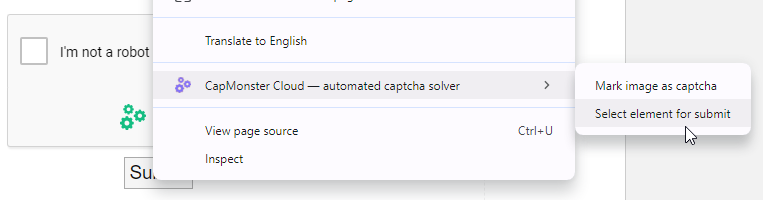
- Right-click on the button (or other element) that should be clicked after solving the CAPTCHA.
- In the opened menu, select CapMonster Cloud - automated captcha solver → Select element for submit.
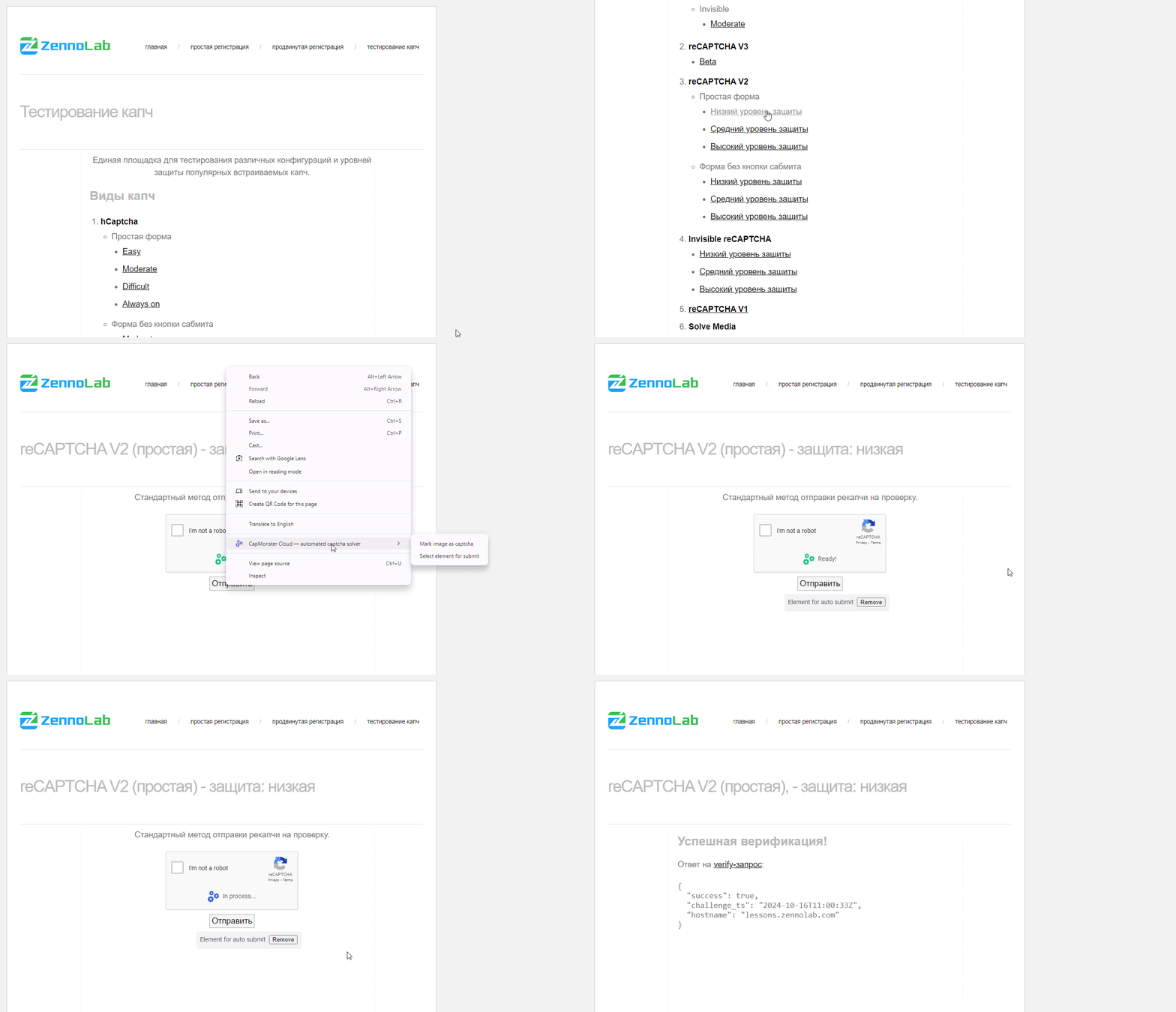
- After that, an informational message Element for auto submit will appear on the form, along with a Remove button that allows you to remove the element for auto-submission.

- For subsequent CAPTCHA solutions on this page, after the CAPTCHA is successfully solved, the selected submission element will be automatically clicked by the extension.
Availability of Autosubmit
Currently, autosubmit can only be used in the Google Chrome extension when solving with a token. Autosubmit is available for the following CAPTCHA types:
- ReCaptcha,
- GeeTest,
- Turnstile.